 Passmint
GuideLoyalty cards to Wallet
Every loyalty card, in your wallet.
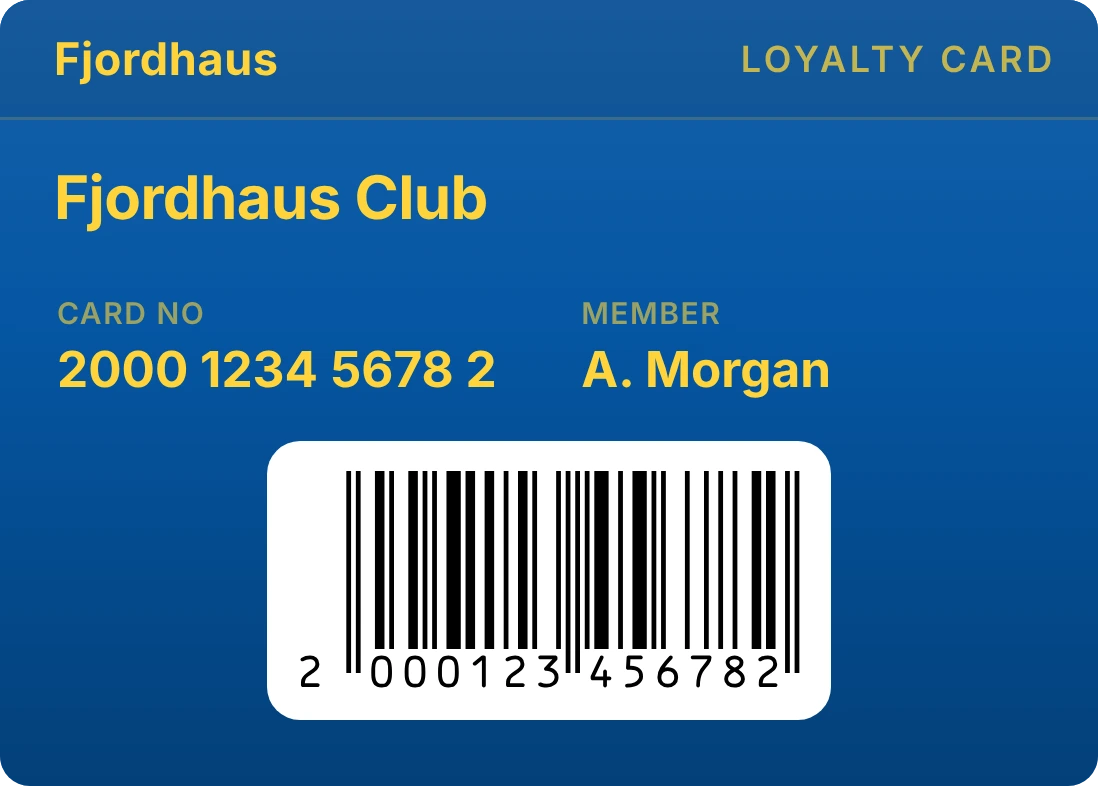
The supermarket card, the pharmacy points card, the gym membership. Scan the barcode on the back, and Passmint turns it into an Apple Wallet or Google Wallet pass in the store's own name and colours.
Free on iPhone and Android. No account, no purchases.
How to do it
Scan the barcode
Tap +, choose Loyalty card, then Scan the card and point the camera at the barcode on the back of the plastic card or key fob. You can also import a photo of it, or type the number printed under the bars.
Pick your store
Passmint suggests the store from what is printed on the card. Check it, or search more than 800 stores sorted by country. Not listed? Name the card yourself.
Add it to your wallet
Tap Add to Apple Wallet or Add to Google Wallet. At the till, the card opens from your lock screen and the cashier scans it like the plastic one.
Good to know
Cards from other apps
Already keep cards in another app? Take screenshots of them and Passmint reads them all at once, matches each to its store and brings them over together.
Every common barcode
EAN-13, EAN-8, UPC, Code 128, Code 39, QR and the other formats loyalty schemes use, 13 in all.
On your Home Screen too
A Passmint widget keeps the card you use most one swipe away, on iPhone and Android.
Your own design
Change the colour, add a gradient, a photo or a pattern, and pick who the card belongs to when the household shares one.
Questions
Will the shop accept the card from my phone?
If the till has a scanner that reads screens, yes: the pass shows the same barcode as your plastic card. Most supermarket and pharmacy scanners do.
Is it free?
Yes. There are no purchases, no subscription and no account.
What if my card only has a number?
Type the number and choose the barcode type. If you are not sure, start with EAN-13: Passmint suggests the right format when the number does not fit it.
Can I keep the same card on two phones?
Yes. Share it from the pass as a small .pmint file, and the other phone imports it in one tap.